Keeping your MacOS applications up to date is one of the simplest ways to keep your computer running smoothly and securely. Updates often fix bugs, improve performance, and protect your system from potential security threats. The good news is that updating apps on a Mac is quick and easy.
How to Update Your Apps
Step 1: Check the App Store in your Dock.
Look at the bottom of your screen for the Dock. If there are updates available, you will see a red notification badge on the App Store icon showing how many apps need to be updated.

Step 2: Open the App Store.
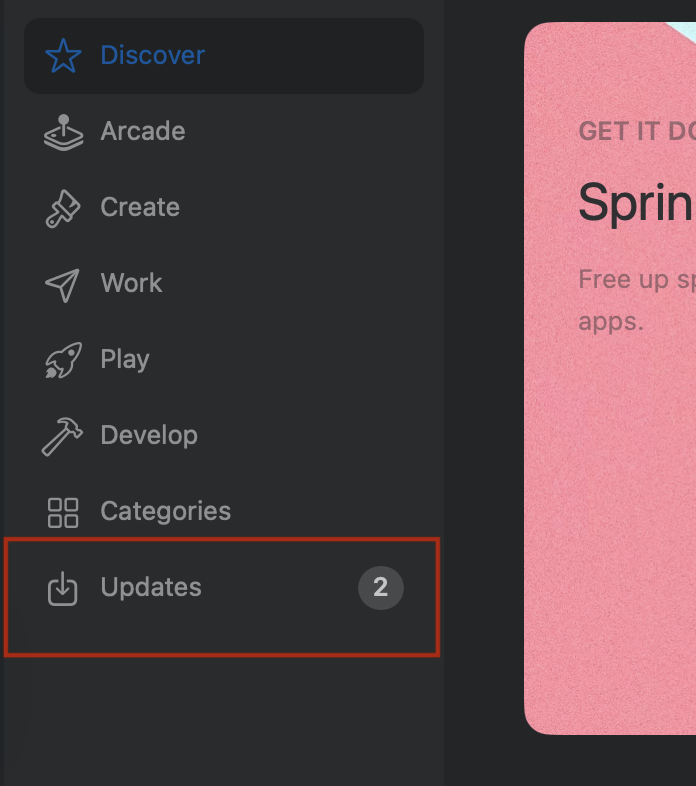
Click on the App Store icon. Once it opens, look to the left-hand side and click on “Updates” to see which apps need to be updated.
Step 3: Update your apps.
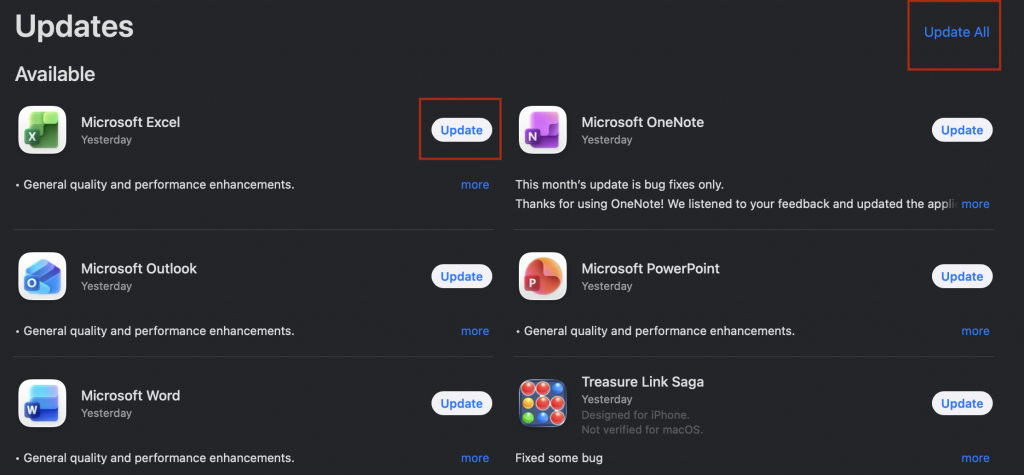
You will now see a list of apps that need updates. You can choose to update them one at a time or click “Update All” to update everything at once.
Once the updates are finished, your apps will be up to date and ready to use. It is a good idea to check for updates regularly or turn on automatic updates to make sure your Mac stays secure and runs efficiently.

Leave a Reply